All guides
- 1. Install and get started
- 2. Batch images and videos on Google Flow
- 3. Auto download and history
- 4. Remove logos from images and videos
- 5. Install Mark Bridge and turn on the Flow API
- 6. Build and run workflows
- 7. Use ChatGPT, Gemini, Grok and Muse
- 8. Prompt and creative tools
- 9. Plans, upgrades and payment
- 10. Control Mark Flow with an AI agent (MCP)
- 11. Mark Flow settings: what each option does
- 12. Troubleshooting
Guide › 9
Plans, upgrades and payment
Compare Free, Pro and Agency, check your current plan, upgrade and pay by bank QR code or PayPal, use discount codes and understand renewals.
Compare the plans
Mark Flow has three plans: Free, Pro and Agency. Current prices are always on the pricing section; the table below only compares what you get.
| Benefit | Free | Pro | Agency |
|---|---|---|---|
| Image and video platforms | Google Flow only | Google Flow, ChatGPT, Gemini, Grok, Muse | Same as Pro |
| Prompts per run | Up to 4 | Unlimited | Unlimited |
| Parallel runs | Up to 4 at a time | Unlimited | Unlimited |
| Flow API through Mark Bridge (faster Flow runs) | No | Yes | Yes |
| Auto download, automatic retry on errors | No | Yes | Yes |
| Logo removal | Manual: 30 images and 5 videos per day, one file at a time | Unlimited, batches, automatic removal on download | Same as Pro |
| Tasks | 2 tasks, 1 run per day | Unlimited | Unlimited |
| Workflows | 1 workflow, 1 run per day, 5 nodes | Unlimited, with templates and file import/export | Same as Pro |
| My Prompts / custom styles | 20 / 3 | Unlimited | Unlimited |
| Prompt templates, Prompt Assistant, AI Agent (MCP) | No | Yes | Yes |
Agency includes everything in Pro; what it adds is listed in the Upgrade dialog and in the pricing section. Logo removal on every plan needs Mark Bridge. Mark Flow only automates the clicks: you still need an account with credits on Google Flow, ChatGPT, Gemini, Grok or Muse.
See your current plan
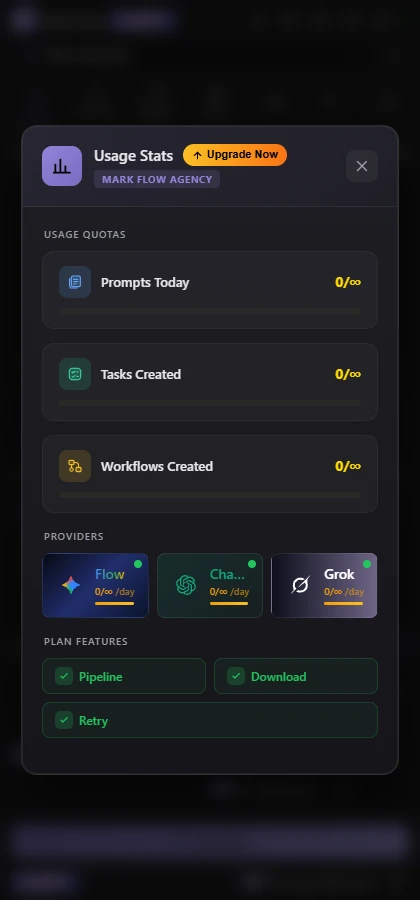
- The plan badge (Free, Pro or Agency) at the top left of the side panel, right next to the Mark Flow name (shown only when signed in). Click it to open Usage Stats: plan name, expiry date (for paid plans) and what you have used: Prompts Today, Tasks Created, Workflows Created.
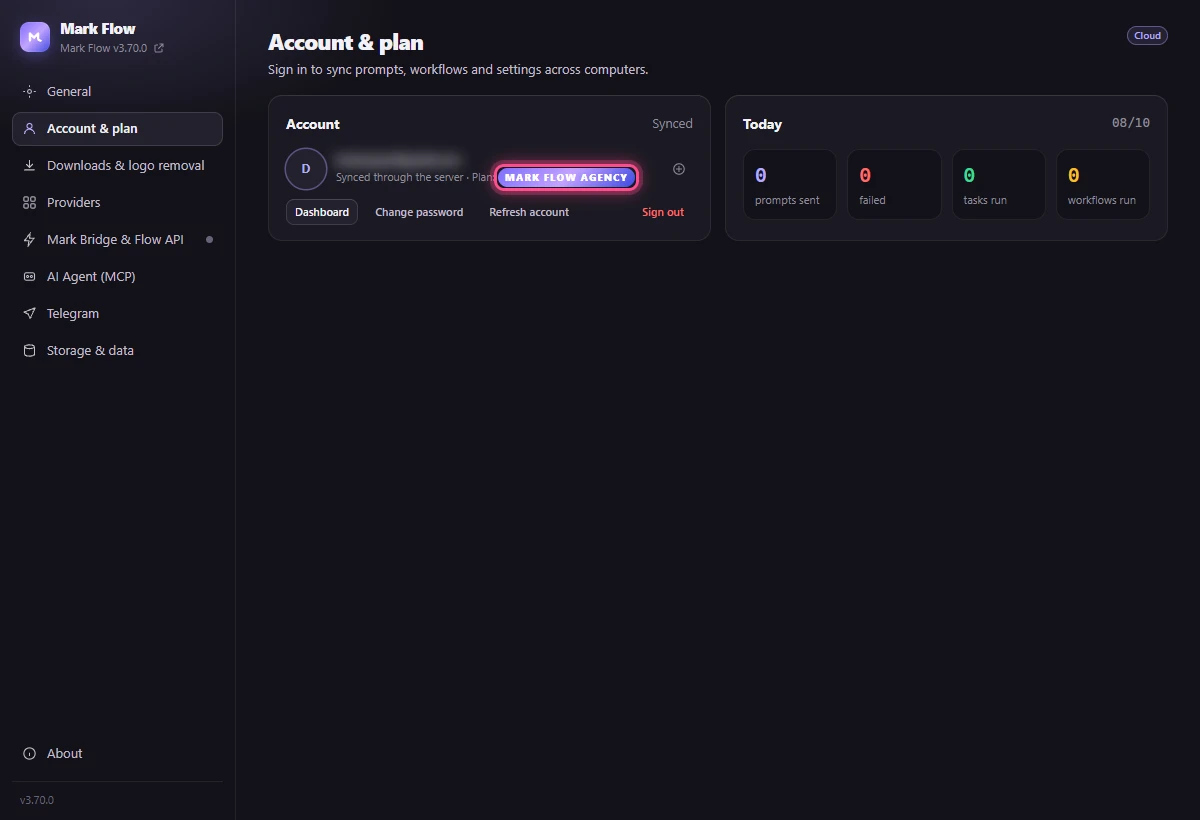
- Settings › Account & plan: the Plan line shows your current plan. Free accounts get an Upgrade button. If you just paid and the plan hasn't changed, click Refresh account.
- In the Upgrade dialog, when you are on a paid plan, the Current plan box shows the Expires date and the days left.
Upgrade step by step
Sign in to Mark Flow (the person icon at the top right of the side panel). You must be signed in to pay.
Open the Upgrade dialog: click the gear icon → Upgrade Plan, or the Upgrade button at the bottom of the side panel, or Upgrade now in any feature-locked message.
Pick the plan in the top row: Mark Flow Pro or Mark Flow Agency. Its benefits and price are shown below.
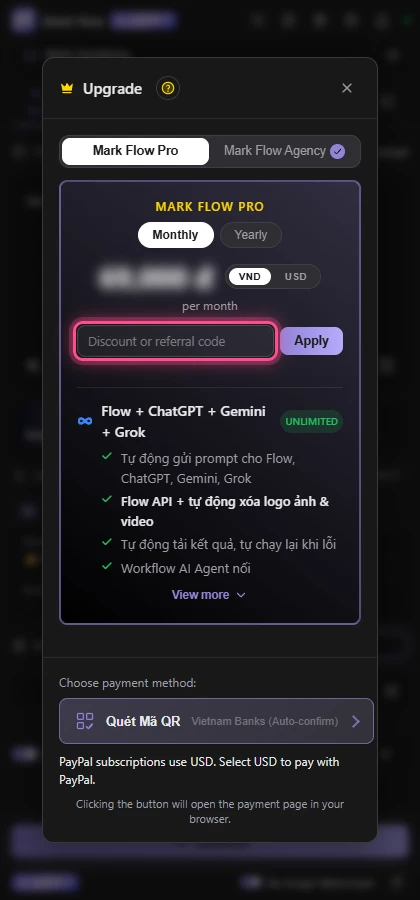
Choose the billing cycle, Monthly or Yearly. The VND / USD buttons next to the price switch the currency.
Have a code? Type it in Discount or referral code and click Apply. The discounted price appears right away. If several discounts apply (coupon, referral code, promotion), Mark Flow uses the largest one; they do not stack.
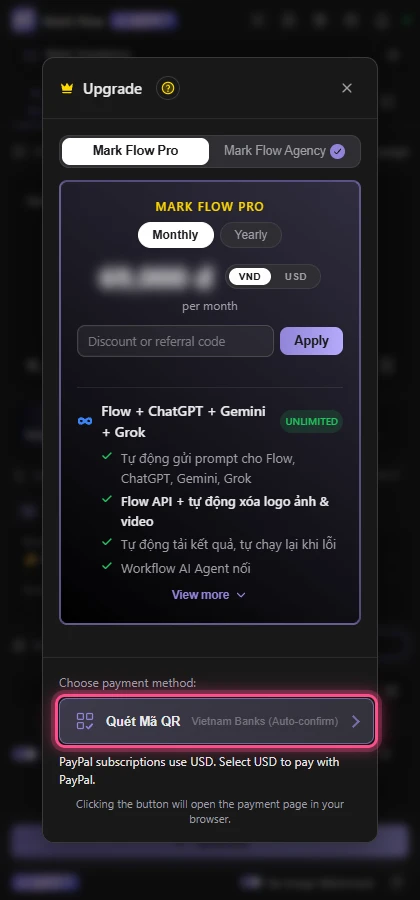
Under Choose payment method:, click how you want to pay: Quét Mã QR (bank QR transfer, when the currency is VND) or PayPal · USD / Polar · USD (when the currency is USD and the button is shown).
On an active Pro plan and moving up to Agency: the remaining value of your Pro plan is taken off the bill (the Credit from … line), and the new plan starts when it is activated. Moving down to a lower plan while the current one is active is not supported.
Pay with a bank QR code
Click Quét Mã QR. The Thanh toán đơn hàng (order payment) page opens in a new tab, with the QR code, Số tiền (amount), Ngân hàng (bank), Số tài khoản (account number), Chủ tài khoản (account holder) and Nội dung chuyển khoản (transfer note). This page is in Vietnamese.
Open your banking app on your phone, choose scan QR and scan the code on the page. The amount and transfer note are filled in for you.
Check before you send: the amount matches the page and the transfer note is the order's code, unchanged (it starts with
MF). If you type it by hand, use the Sao chép (copy) button next to each line.Confirm the transfer in your banking app.
Keep the payment page open. When the money arrives, the page shows Thanh toán thành công! (payment successful) with your plan's expiry date, and the side panel shows 🎉 Activation successful!. You can then close the page.
Keep the transfer note and the amount exactly as shown. With a different note, the system cannot match the transfer to your order. Don't send more money to test when the status hasn't updated: follow the next section instead.
The Còn lại (time left) timer on the page is how long the order is held. If it runs out before you pay, create a new order in Mark Flow; if you already paid with the right note, the order is still confirmed. If you sent too little, the page shows how much arrived and asks you to send the rest.
Plan not activated, refunds and support
Wait a few minutes with the payment page open: it updates itself when the order is confirmed.
If the page has a Tôi đã chuyển khoản (I have transferred) button, click it. The order is then confirmed by hand, which can take up to 24 hours.
In Mark Flow, go to Settings › Account & plan and click Refresh account to reload your plan.
Still no plan after 24 hours? Contact support with the Mã hóa đơn (invoice number) from the payment page and a screenshot of the transfer.
Read the refund policy in Payments and refunds. Before paying, check the plan name, billing cycle and amount.
PayPal and Polar (international cards, USD)
- These only appear when you choose USD in the Upgrade dialog and Mark Flow currently offers that payment method.
- Click PayPal · USD or Polar · USD and the payment page opens in a new tab; follow the steps there.
- Plans paid through PayPal or Polar renew automatically every month or year, following the cycle you chose. Discount codes, referral codes and upgrade credit do not apply.
- To check the status or cancel renewal: click the account icon at the top of the side panel → Manage billing · PayPal (or · Polar). After cancelling, you keep the plan until the end of the period you paid for. Removing the extension does not cancel the subscription.
- Paid but the plan hasn't changed: in the same menu, click Sync subscription · PayPal (or · Polar).
Renewal and expiry
- A monthly plan lasts 30 days and a yearly plan 365 days, counted from activation.
- Paying by QR code is a one-off payment; nothing is charged automatically. To continue, open Upgrade, choose the plan you are on and pay: the dialog says This is a renewal of the same plan (time will be added). and the new time is added after your current expiry date, so renewing early loses no days.
- If the plan expires and you don't renew, the account goes back to Free automatically.
- Plans paid through PayPal or Polar keep renewing until you cancel.
Discount codes, referral codes and the affiliate program
The same Discount or referral code box takes both discount codes and referral codes. If a friend referred you to Mark Flow, type their code here: you get a discount and the referrer gets the credit. A code that doesn't work shows an error right below the box:
| Message | What it means |
|---|---|
| Invalid or expired code. | The code is mistyped or does not exist. Check each character. |
| This code has expired. / This code is not active yet. / This code is no longer active. | The code cannot be used right now. |
| This code has no uses left. / You have already used this code. | The code has been used as many times as allowed. |
| This code does not apply to this plan. / This code does not apply to this billing cycle. | Change the plan, or switch Monthly / Yearly, to match the code. |
| The order is below this code's minimum amount. | The order is below the minimum amount the code needs. |
| This code is for a different currency. | Switch VND / USD to match the code. |
To refer Mark Flow yourself and earn commission, read the terms on the Affiliate program page.
Still stuck? See Troubleshooting or email admin.markflow@gmail.com with your Mark Flow version, the AI platform and the exact error message.